
How to insert pictures in your posts


I've found that the best and most reliable way is to ignore the image link icon button, it's above the text box

and use the attachment button instead, its below the text box.

Then press the Add files buttton
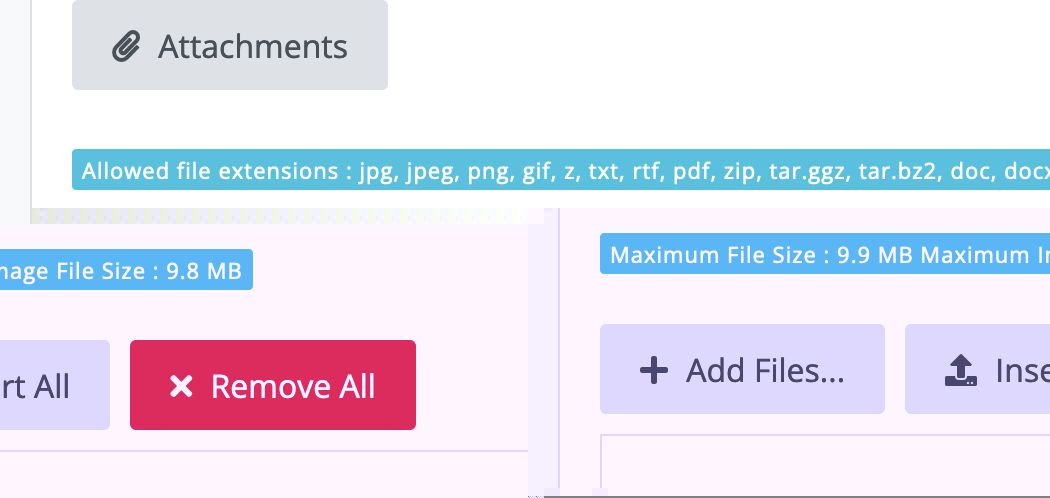
And then either press the Insert all button if you want all the attachment to display at once or press blue insert button below it to only display that individual choice of picture.
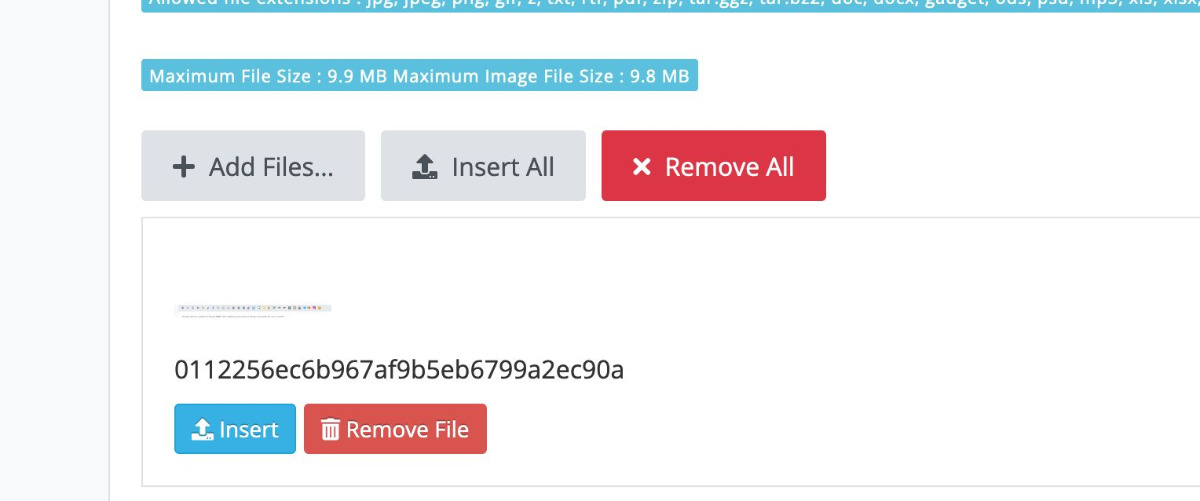
Once a picture is included you will see a green in message button DON'T press this
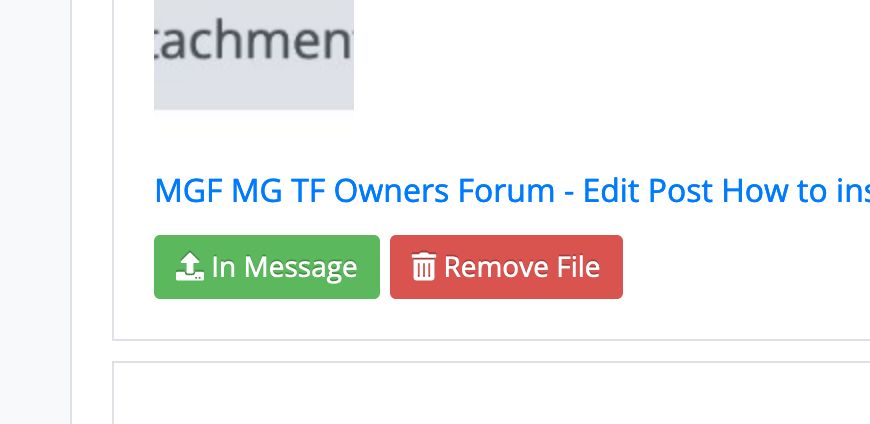
Finally you press the blue Submit button at the bottom.

"Keep calm, relax, focus on the problem & PULL THE BLOODY TRIGGER"
Please Log in or Create an account to join the conversation.
- Airportable
-
 Offline
- Master MGer
-

Site Supporter
- Posts: 3672
- Thanks: 912
Replied by Airportable on topic How to insert pictures in you posts
Posted 2 years 1 month ago #206868I have to say that that is my attempted procedure, however with a 50% failure rate I must be getting it wrong half the time. (!)
M
Please Log in or Create an account to join the conversation.
- David Aiketgate
-
 Offline
- David
-

Super Users
- mgf mk2 freestyle mpi 16" wheels, in Anthracite.
- Posts: 20627
- Thanks: 4583
Replied by David Aiketgate on topic How to insert pictures in you posts
Posted 2 years 1 month ago #206875 So it's like buses with you... Either none or too many...
Never mind, it gives the mods something to do!
 Always remember...
David

Please Log in or Create an account to join the conversation.
- Airportable
-
Offline
- Master MGer
-
Site Supporter
- Posts: 3672
- Thanks: 912
Replied by Airportable on topic How to insert pictures in you posts
Posted 2 years 1 month ago #206878Thanks again team for nursemaiding ageing members such as I.
M
Please Log in or Create an account to join the conversation.


new to the site
I cant find the attachment button, its that's because its s new account, or its a paid feature?
or is it because I am dumb?
ta
Please Log in or Create an account to join the conversation.

Replied by Roverlike on topic How to insert pictures in your posts
Posted 9 months 2 weeks ago #219409Please Log in or Create an account to join the conversation.
I did notice in one of other sub forums you have to be a 'friend of the forum' before able to post photos

Please Log in or Create an account to join the conversation.
with the heading "Attachments" below that heading is a blue "+ Add Files" button
Press that and another window will appear,
Select the picture file,
Your selection should be visible below the blue "+ Add files" button'
Below your selection there is a blue "Insert" button once pressed this will become a green "In Message" button.
Don't press this green button, instead scroll down further and you'll see a blue "Submit" button press this and you're done!
"Keep calm, relax, focus on the problem & PULL THE BLOODY TRIGGER"
Please Log in or Create an account to join the conversation.
- BruceTF135
-
 Offline
- Qualified MGer
-

Site Supporter
- Posts: 683
- Thanks: 197
Replied by BruceTF135 on topic How to insert pictures in your posts
Posted 9 months 2 weeks ago #219498Hi
new to the site
I cant find the attachment button, its that's because its s new account, or its a paid feature?
or is it because I am dumb?
ta
This MIGHT be your problem. You cannot add attachments (eg pictures) if you use the "Quick Reply" button. You have to use "Reply" or "Quote".
Please Log in or Create an account to join the conversation.

Please Log in or Create an account to join the conversation.

Replied by Retrobyte on topic How to insert pictures in your posts
Posted 2 days 21 hours ago #224468Please Log in or Create an account to join the conversation.
Replied by Roverlike on topic How to insert pictures in your posts
Posted 2 days 21 hours ago #224473You are new to the forum and your posts count is too small. You will have to post for some time in order to see the attachment button and be able to add pictures.No matter what I try to do I can't add pictures. The attachment button isn't visible whether I click quote or reply.
Please Log in or Create an account to join the conversation.